
Download my Agent – Taspen LIFE, online administration, digital policy, product simulation, membership registration, online account statement
Overview
my Agent is a desktop application designed to streamline online administration for users of Taspen LIFE, a financial services provider. The software enables efficient management of insurance-related tasks through a centralized digital platform. It supports users in accessing product information, simulating insurance plans, registering for membership, and retrieving digital policies—all within a single interface.
The application also allows users to view their individual account statements, access electronic participant cards, and manage their Taspen LIFE profile. These functionalities are particularly beneficial for professionals and individuals involved in financial planning, insurance administration, or personal policy management. While the developer, PT.
Asuransi Jiwa Taspen Taspen LIFE, is associated with the insurance sector, specific details about the organization’s broader software development experience were not provided. The application is intended for users who seek a convenient, paperless way to interact with their insurance products. Real-world usage scenarios include remote policy review, online membership onboarding, and instant access to digital documentation.
The software is especially useful for those who require timely access to financial records and policy details without visiting physical offices.
Key Features & Capabilities
- Product Information Access – Users can retrieve up-to-date details about Taspen LIFE insurance products directly within the application. This includes coverage, benefits, and eligibility criteria, supporting informed decision-making.
- Product Simulation Tool – The application allows users to simulate different insurance plans based on personal inputs. This feature helps in evaluating potential outcomes before committing to a policy.
- Online Membership Registration – A built-in registration system enables users to sign up for Taspen LIFE membership remotely, reducing administrative delays and paperwork.
- Digital Policy Issuance – Once registered or selected, users can obtain digital copies of their insurance policies instantly, eliminating the need for physical documents.
- Account Statement Access – Users can view their personal account statements, providing transparency into contributions, balances, and policy performance.
- Electronic Participant Card – The app stores a digital version of the participant card, which can be used for verification and service access.
- Profile Management – Users can update and maintain their Taspen LIFE profile, ensuring that personal and contact information remains accurate and current.
These features collectively enhance user efficiency by consolidating critical financial tasks into one accessible platform. The workflow is designed to minimize manual input and reduce the time required for policy-related actions. For example, a user can simulate a plan, register for membership, and receive a digital policy—all in a single session. The integration of real-time data access ensures that users are working with current information, which is essential in financial decision-making.
User Interface, Workflow & Performance
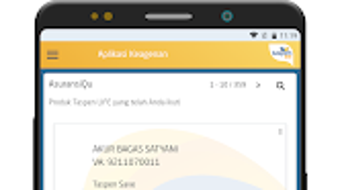
The user interface of my Agent is structured to prioritize clarity and ease of navigation. Menu options are logically grouped, and the layout supports intuitive access to core functions such as product simulation, policy retrieval, and account management. Navigation is straightforward, with minimal steps required to reach desired features.
The design emphasizes usability, making it accessible even to users with limited technical experience. Workflow efficiency is enhanced by the seamless integration of all major functions within a single environment, reducing the need to switch between multiple platforms. The application’s performance is expected to be stable, given its focus on data retrieval and form processing rather than resource-intensive operations.
However, exact performance details, including CPU or RAM usage, were not specified by the developer. General software behavior patterns suggest consistent responsiveness under normal conditions. The application appears to be optimized for quick loading times and smooth transitions between screens.
Stability is likely maintained through regular updates, although specific release notes or version history were not provided.
Compatibility & System Requirements
my Agent is designed for the Android operating system, with a current version of 1.0.1. The application has a file size of 20.1 MB, indicating a lightweight footprint suitable for devices with moderate storage capacity. The developer did not provide additional system requirements, such as minimum RAM, processor speed, or API level.
Compatibility information is limited to the Android platform, and there is no indication of support for other operating systems like Windows, macOS, or iOS. Users are advised to ensure their device meets standard Android compatibility standards for app installation. The absence of detailed hardware specifications means that performance on older or lower-end devices cannot be guaranteed.
It is recommended to check device compatibility through the official distribution channel before installation. The application is available as a free download, making it accessible to a broad audience.
Pros and Cons
Pros
- Free to download and use, reducing access barriers for users.
- Centralized access to product details, simulations, and digital policies.
- Supports online membership registration, improving onboarding efficiency.
- User-friendly interface with clear navigation and logical layout.
- Provides instant access to digital documents, including policies and participant cards.
- Enables remote management of financial profiles and account statements.
Cons
- Compatibility is limited to Android; no desktop or cross-platform support confirmed.
- System requirements and performance metrics were not disclosed.
- Only available through Android distribution channels, limiting accessibility.
- No information on offline functionality or data sync behavior.
- Updates and version history are not publicly documented.
FAQ Section
Is my Agent available for Windows or Mac?
The application is currently available only for Android devices. There is no official version for Windows or macOS.
Is the software secure?
As a financial application, my Agent likely employs standard security measures to protect user data. However, specific details about encryption, authentication, or data handling were not provided by the developer.
How often is the software updated?
Update frequency and release notes were not disclosed. Users are encouraged to check the official app store for the latest version.
Can I use my Agent offline?
Information about offline functionality was not specified. The application may require an internet connection for full access to features.
Is there a license or subscription fee?
my Agent is available at no cost. It is free to download and use without recurring fees or subscription requirements.
Final Thoughts
my Agent presents a practical solution for individuals seeking efficient, digital access to Taspen LIFE insurance services. Its integration of product simulation, online registration, and instant digital policy issuance offers a modern approach to insurance administration. The clean interface and logical workflow enhance usability, making it suitable for both new and experienced users.
While the software is limited to Android and lacks detailed technical specifications, its core functionality is well-aligned with the needs of users managing personal or professional insurance portfolios. For those affiliated with Taspen LIFE, the application serves as a valuable tool to reduce administrative effort and improve access to financial documents. The absence of a fee further increases its appeal.
Overall, my Agent delivers a focused, effective experience for its intended audience. Download my Agent now.







